

Introduction
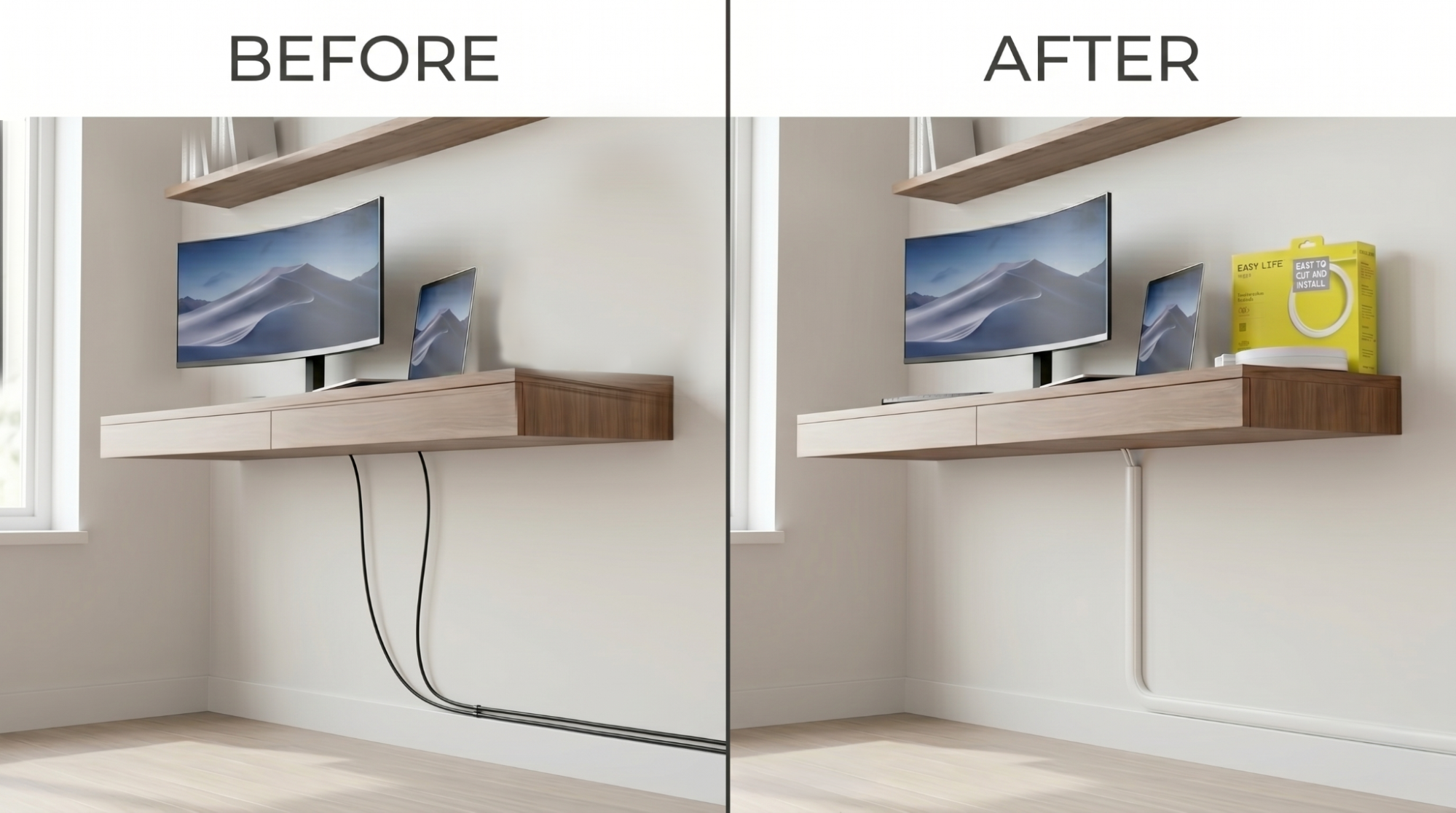
How to Prevent Cable Clutter in Home Offices 2026 Setup Guide starts with understanding that messy cables instantly make a workspace feel stressful, unorganized, and distracting. What many remote workers do not realize is that exposed wires also collect dust, reduce productivity, and make cleaning more difficult. This guide explains how to organize and camouflage office cables using EasyLife Tech Cable Trunking in a Roll and other modern cable management solutions.
Shop EasyLife Tech Cable Trunking in a Roll on Amazon: EasyLife Tech Cable Trunking in a Roll.
Key Takeaways
- Cable management creates a cleaner and more productive home office.
- EasyLife Tech Cable Trunking in a Roll helps hide visible desk and wall cables.
- Organized workspaces reduce distractions and improve focus.
- Peel-and-stick cable trunking offers a beginner-friendly DIY solution.
- Paintable cable trunking blends directly into walls for a seamless finish.
- Proper cable organization reduces dust buildup and tripping hazards.
- Modern desk setups look more professional with concealed wires.
What Is Home Office Cable Management?
Home office cable management is the process of organizing and concealing wires to create a cleaner, safer, and more productive workspace.
Modern home offices typically include multiple devices such as monitors, laptops, printers, chargers, speakers, webcams, LED lighting, and power strips. Without organization, these cables quickly become tangled and visually overwhelming.
EasyLife Tech Cable Trunking in a Roll helps organize and conceal:
- Monitor cables
- HDMI cords
- Charging wires
- Ethernet cables
- Power cords
- USB cables
- Speaker wires
Using paintable cable trunking creates a cleaner office appearance while protecting cables from damage and reducing visual clutter.
Why Is Cable Management Important for Work-From-Home Setups?
Cable management is important because it improves productivity, safety, and workspace organization.
Exposed wires create distractions that reduce focus during work hours. Tangled cables also make desks appear smaller, messier, and less professional. Loose wires around desks and walkways can become tripping hazards while collecting dust and making cleaning more difficult.
Organized office cables help create:
- Cleaner desk setups
- Better video call backgrounds
- Improved workspace aesthetics
- Safer office walkways
- Easier cleaning and maintenance
- Better productivity and focus
As remote work continues growing, professional-looking home offices have become more important than ever.
What Is the Best Way to Prevent Cable Clutter in a Home Office?
The best way to prevent cable clutter is by combining cable trunking, desk organizers, and wire grouping solutions.
EasyLife Tech Cable Trunking in a Roll allows users to hide visible wires along walls, desks, and baseboards without cutting drywall. The flexible peel-and-stick installation makes cable organization simple for both homeowners and renters.
This solution works especially well for:
- Dual monitor setups
- Standing desks
- Gaming desks
- Work-from-home offices
- Shared workspaces
- Apartment office setups
Cable trunking helps transform messy office wiring into a clean and organized modern workspace.
How EasyLife Tech Cable Trunking in a Roll Works
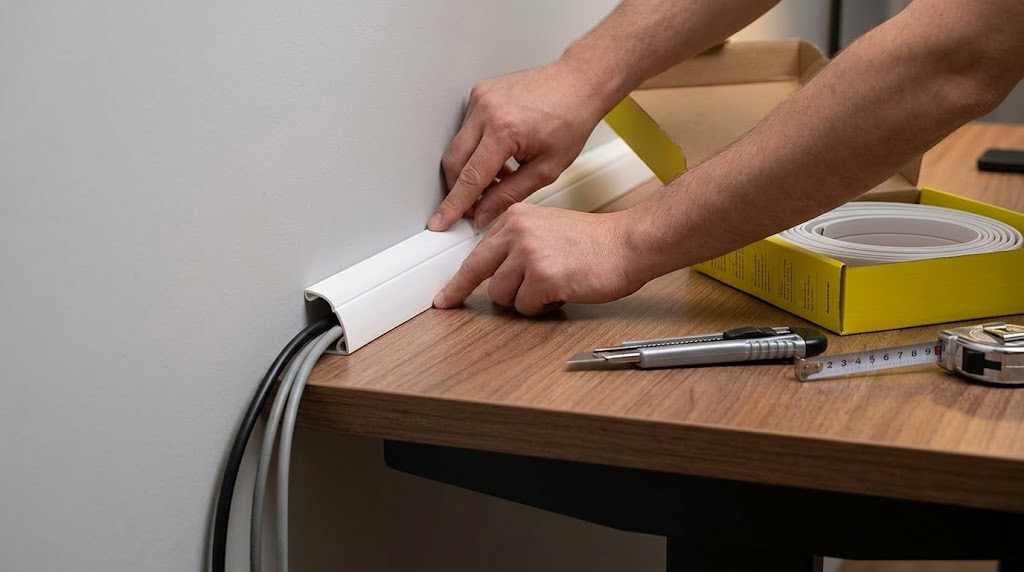
Step 1: Install the Cable Trunking
Apply the flexible peel-and-stick cable trunking along walls, desk edges, or baseboards.
Step 2: Insert Office Cables
Place monitor wires, charging cables, HDMI cords, Ethernet wires, and power cables neatly inside the trunking.
Step 3: Snap the Cover Closed
Secure the cable cover for a clean and professional appearance.
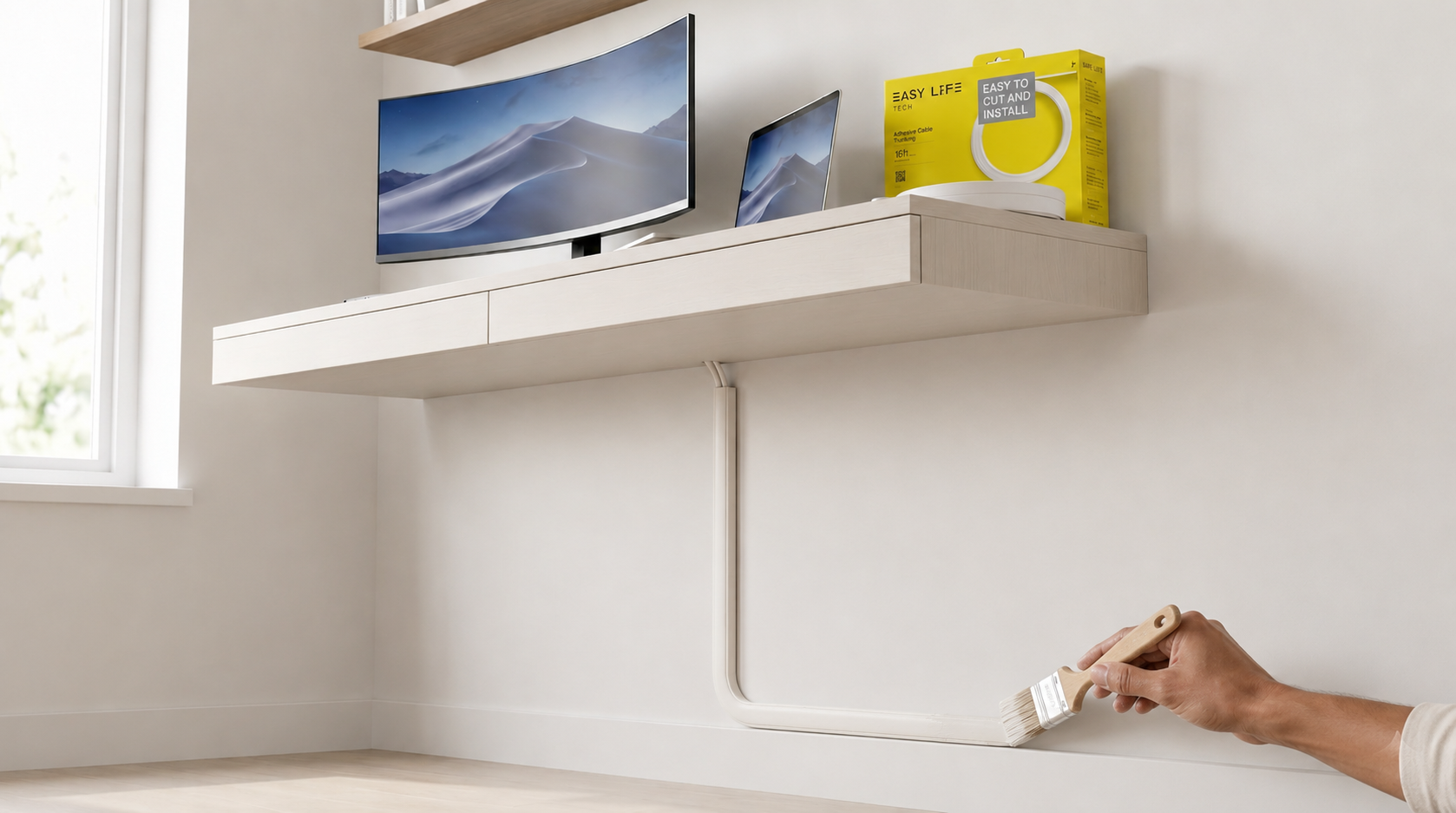
Step 4: Paint the Trunking
Paint the cable trunking using the same wall color already used in your office.
Once painted, the trunking blends naturally into the wall and helps create a seamless office setup.
How Do You Hide Monitor and Charger Cables Neatly?
Monitor and charger cables can be hidden neatly using cable trunking, desk trays, adhesive clips, and cable sleeves.
The easiest method is routing monitor and laptop charger wires downward behind the desk and into EasyLife Tech Cable Trunking in a Roll. This creates a cleaner appearance while preventing wires from hanging visibly across the wall.
This works especially well for:
- Dual-monitor workstations
- Gaming setups
- Laptop docking stations
- Streaming desks
- Content creator offices
Organized cable routing improves workspace appearance while reducing distractions during work hours.
What Are the Best Desk Cable Organizer Ideas?
The best desk cable organization solutions include:
- EasyLife Tech Cable Trunking in a Roll
- Under-desk cable trays
- Adhesive cable clips
- Velcro cable ties
- Cable sleeves
- Power strip holders
- Desk wire organizers
Modern desks often include multiple connected devices, and without organization, the cable clutter quickly becomes overwhelming.
Using a combination of cable trunking and desk cable organizers helps maintain a cleaner and more productive work environment.
Can You Paint Cable Trunking to Match Your Office Walls?
Cable trunking can be painted to match wall colors for a seamless and professional finish.
Using the same paint already applied to your office walls allows the cable trunking to blend directly into the room for a built-in appearance.
For best results:
- Clean the trunking surface before painting
- Use thin even coats
- Allow proper drying time
- Match the exact wall color and finish
Paintable cable trunking is ideal for modern offices because it eliminates the visible plastic appearance common in traditional cable covers.
What Are the Best DIY Cable Management Solutions for Renters?
The best DIY cable management solutions for renters are removable and peel-and-stick systems that avoid permanent wall damage.
EasyLife Tech Cable Trunking in a Roll installs quickly without drilling holes into drywall, making it ideal for apartments, dorm rooms, rental homes, and temporary office setups.
Benefits for renters include:
- No drywall cutting
- No complicated installation
- Easy removal
- Minimal wall damage
- Affordable setup
- Professional appearance
This allows renters to create organized office spaces without risking security deposits or permanent modifications.
What Mistakes Should You Avoid When Organizing Office Cables?
Common office cable management mistakes include overloading raceways, skipping wall preparation, and leaving excess cable slack visible.
Avoid these common mistakes:
- Installing cable trunking on dusty walls
- Overfilling cable channels
- Using uneven cable paths
- Leaving tangled charger wires visible
- Exposing power strips unnecessarily
- Using cables longer than needed
- Ignoring cable labels
Proper planning before installation helps create a cleaner and more professional final result.
What Should You Do After Organizing Your Office Cables?
After organizing office cables, you should inspect cable placement, label important wires, and maintain the setup regularly.
As new devices such as webcams, microphones, printers, and lighting systems are added, reviewing and adjusting the cable setup helps maintain long-term organization.
Regular maintenance helps:
- Prevent tangled wires
- Maintain cleaner workspaces
- Reduce dust buildup
- Improve troubleshooting
- Extend cable lifespan
Flexible cable trunking makes future cable upgrades and adjustments easier as office setups evolve.
Conclusion
Cable clutter can instantly make even the best home office setup feel chaotic and distracting. Loose monitor wires, charger cables, and exposed power cords reduce the professional appearance of your workspace while creating unnecessary stress.
With EasyLife Tech Cable Trunking in a Roll, you can organize and camouflage office wires quickly using a flexible peel-and-stick system that blends directly into your walls.
Perfect for:
- Monitor cable organization
- Charger wire concealment
- Wall cable management
- Standing desk setups
- Work-from-home office organization
- Gaming desk cable organization
- Clean modern workspace setups
Shop EasyLife Tech Cable Trunking in a Roll on Amazon: EasyLife Tech Cable Trunking in a Roll.